
Shopify Transaction Fees Explained: How to Calculate Your True Cost
Shopify Transaction Fees Explained: How to Calculate Your True Cost
You know your product costs, your shipping fees, and your Shopify subscription. But when a customer pays $100, you do not receive $100. The gap between what they pay and what you receive is your true transaction cost, a complex blend of fees that silently erodes margins. For many merchants, this cost remains a frustrating mystery, making accurate profit forecasting and pricing strategy nearly impossible. This financial opacity can turn a seemingly successful sale into a loss.
This article provides a definitive guide to calculating the total cost of payment processing on Shopify. Your true cost per transaction is not a single fee. It is the sum of Shopify’s payment processing fee, any third-party payment gateway fees, credit card network interchange fees, and potential currency conversion costs. We will map each component, provide a step-by-step calculation framework, and analyze strategies to reduce these expenses. By the end, you will possess the clarity to model your exact costs, price your products for profit, and choose the most economical payment path for your business. For a broader view of startup expenses, see our complete guide to Online Business Pricing & Costs: Shopify, AWS, and Buying Guide.
Deconstructing the Shopify Payment Ecosystem
To calculate your cost, you must first understand the players involved in every transaction. When a customer checks out, funds do not move directly from their bank to yours. Several intermediaries facilitate this exchange, each charging for their service.
The primary actors are:
1. The Payment Gateway: This is the digital “point-of-sale” terminal. It encrypts and transmits the customer’s payment data to the financial networks. On Shopify, this can be Shopify Payments (their built-in gateway) or a third-party gateway like PayPal, Authorize.net, or Stripe.
2. The Credit Card Networks (Card Brands): Visa, Mastercard, American Express, and Discover operate the global payment networks. They set the foundational interchange fees paid to the issuing bank (the customer’s bank).
3. The Acquiring Bank (Processor): This is the merchant’s bank that receives the funds. It contracts with the payment gateway to process transactions and deposits money into your business bank account.
4. Shopify: The platform provides the storefront, cart, and connection to these payment systems, charging fees for its role.
Shopify’s fee structure is designed to incentivize using their integrated solution, Shopify Payments. This incentive creates the core decision point for every merchant.
Shopify’s Transaction Fee Model: A Tiered Incentive Structure
Shopify charges two potential fees per transaction: a payment processing fee and an additional transaction fee. The presence of the additional fee depends entirely on your choice of payment gateway.
1. Payment Processing Fees (Shopify Payments)
If you use Shopify Payments, you pay only a processing fee. This single fee bundles the cost of the gateway, processing, and Shopify’s cut. The rate is tiered based on your Shopify subscription plan, with lower rates for higher-tier plans. These rates apply to online, in-person, and manual card payments.
| Shopify Plan | Online Credit Card Rate | In-Person Credit Card Rate | Additional Transaction Fee (if using non-Shopify gateway) |
|---|---|---|---|
| Basic Shopify | 2.9% + $0.30 | 2.7% + $0.00 | 2.0% |
| Shopify | 2.6% + $0.30 | 2.5% + $0.00 | 1.0% |
| Advanced Shopify | 2.4% + $0.30 | 2.4% + $0.00 | 0.5% |
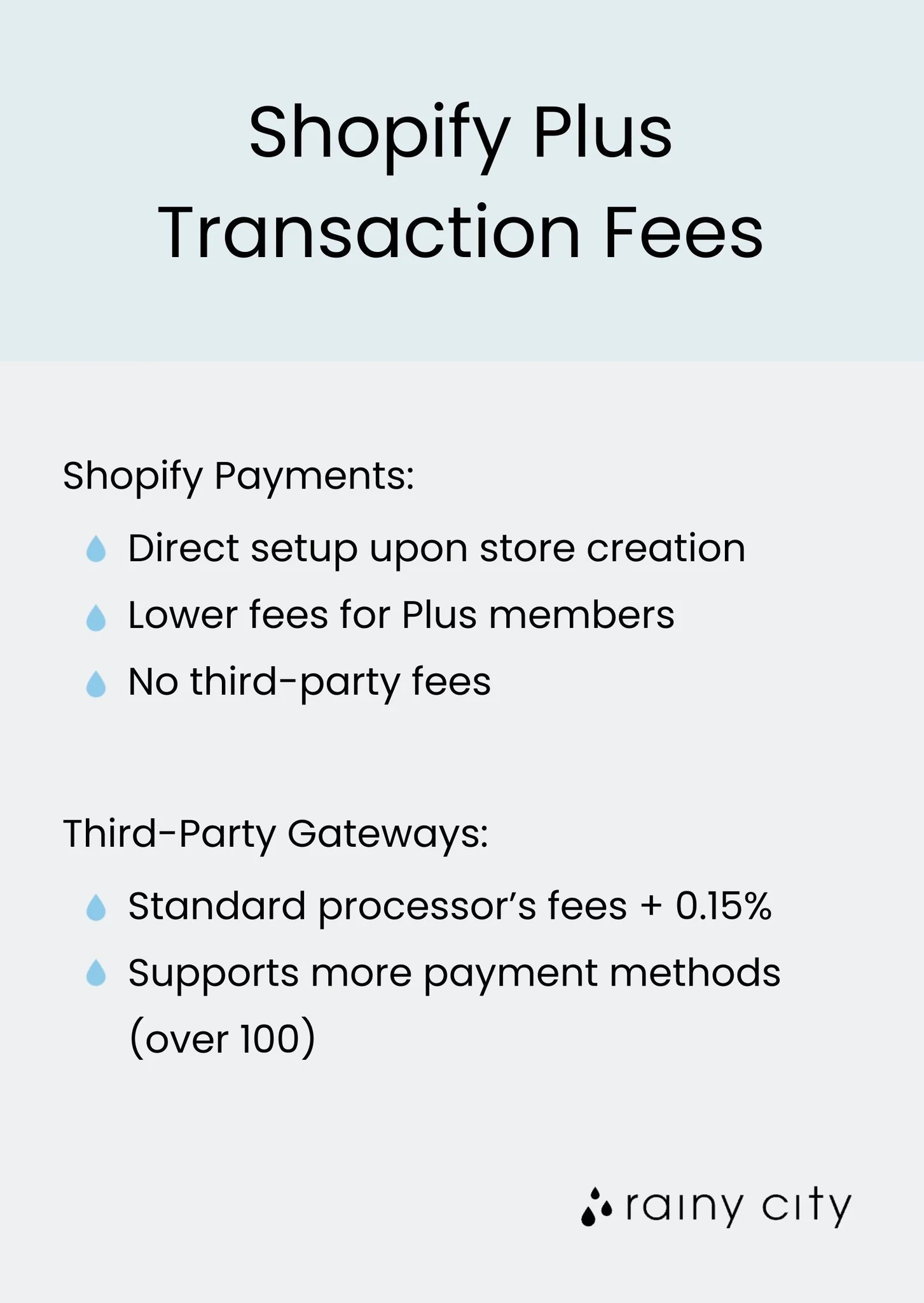
| Shopify Plus | Custom (Negotiated) | Custom (Negotiated) | 0.15% |
Note: Shopify Plus fees are custom-quoted. The 0.15% additional fee is a common benchmark for enterprises using external gateways.
Example: On the Basic Shopify plan, a $100 online card sale via Shopify Payments costs you $2.90 (2.9%) + $0.30 = $3.20. You receive $96.80.
2. Additional Transaction Fees (Third-Party Gateways)
If you choose not to use Shopify Payments and instead integrate a third-party gateway like PayPal or Authorize.net, Shopify charges an extra fee on top of whatever that gateway charges you. This is the “additional transaction fee” shown in the table above.
This fee is Shopify’s way of recouping the revenue they lose by not processing the payment themselves. It is a significant cost adder. For a Basic Shopify merchant, using a third-party gateway adds a 2.0% surcharge to every transaction.
The Hidden Layer: Credit Card Interchange Fees
Whether you use Shopify Payments or a third-party gateway, a portion of your processing fee is paid to the credit card networks and issuing banks as interchange fees. These are not separate line items on your Shopify bill but are baked into the processing rate.
Interchange fees are complex, varying by:
Card type: Premium rewards cards (Visa Signature, World Mastercard) cost more to process than basic debit cards.
Transaction method: Card-present (in-person) rates are lower than card-not-present (online) rates due to lower fraud risk.
Business category: Non-profit and government entities often qualify for lower rates.
Authorization method: A fully authenticated transaction (like 3D Secure) may have a lower rate.
Shopify Payments and most third-party gateways charge you a simplified, blended rate (e.g., 2.9% + $0.30). This rate averages all possible interchange costs, providing predictable billing. Some specialized merchant account providers pass through interchange fees directly (interchange-plus pricing), which can be lower for businesses with very specific transaction profiles but is far less predictable.
Calculating Your True Cost Per Transaction: A Step-by-Step Framework
Follow this process to determine your exact net revenue from any sale.
Step 1: Identify Your Payment Path
Path A: Customer pays via Shopify Payments.
Path B: Customer pays via a third-party gateway (e.g., PayPal Express, Amazon Pay).
Step 2: Gather All Applicable Rate Schedules
Your Shopify plan’s payment processing rate (if using Path A).
Your Shopify plan’s additional transaction fee (if using Path B).
The full fee schedule from your third-party gateway (if using Path B). This often includes a percentage plus a fixed fee.
Step 3: Apply the Calculation Formula
For Shopify Payments (Path A):
`Net Amount = Sale Amount – (Sale Amount Shopify Processing % + Fixed Fee)`
Example for Basic Shopify ($100 sale):
`$100 – ($100 0.029 + $0.30) = $100 – ($2.90 + $0.30) = $96.80`
For a Third-Party Gateway (Path B):
`Net Amount = Sale Amount – [(Sale Amount Gateway Fee %) + Gateway Fixed Fee] – (Sale Amount Shopify Additional Fee %)`
Example for Basic Shopify using PayPal Standard (assuming PayPal’s U.S. rate of 3.49% + $0.49):
1. Calculate PayPal fee: `($100 0.0349) + $0.49 = $3.49 + $0.49 = $3.98`
2. Calculate Shopify additional fee: `$100 0.02 = $2.00`
3. Total fees: `$3.98 + $2.00 = $5.98`
4. Net Amount: `$100 – $5.98 = $94.02`
Observation: For a $100 order on Basic Shopify, using a third-party gateway like PayPal costs the merchant $2.78 more than using Shopify Payments ($5.98 vs $3.20). This difference directly impacts your profit margin.
Step 4: Model for Different Scenarios
Create a simple spreadsheet model. Input variables should include: Shopify plan, average order value (AOV), payment method mix (Visa, Amex, PayPal), and gateway used. Calculate net revenue across a range of order values to see how fixed fees disproportionately affect low-AOV sales.
Advanced Cost Considerations: International Sales and Alternative Payments
Currency Conversion and Cross-Border Fees
Selling internationally introduces more cost layers. If you charge a customer in Euros, and your bank account is in U.S. Dollars, a currency conversion occurs.
Shopify Payments: Charges a currency conversion fee (typically 1.5% on top of the standard processing rate). The exchange rate used includes a margin.
Third-Party Gateways: Services like PayPal have their own, often higher, currency conversion fees and exchange rate margins.
Buy Now, Pay Later (BNPL) Services
Offering options like Shop Pay Installments, Klarna, or Afterpay can increase conversion and average order value, but they carry different fee structures. These are often similar to or slightly higher than standard credit card processing fees. You must factor these into your model if you enable them.
American Express Processing
A common misconception is that American Express charges prohibitively high fees. While Amex interchange rates can be higher, Shopify Payments and most modern gateways include Amex in their standard blended rate. There is usually no extra activation step or separate fee.
Strategic Analysis: When Does a Third-Party Gateway Make Financial Sense?
Given the punitive additional transaction fees, why would any merchant use a non-Shopify gateway? In specific scenarios, the benefits can outweigh the costs.
1. High-Volume, Negotiated Enterprise Rates: A Shopify Plus merchant processing millions annually may negotiate a custom, ultra-low rate with a dedicated payment processor (e.g., 2.2% + $0.10). Even with Shopify’s 0.15% additional fee, their total cost (2.35% + $0.10) could beat Shopify Payments’ standard Plus rate. This requires significant volume.
2. Marketplace or Aggregator Requirements: If you sell on Amazon or use a platform that requires payout via PayPal, using that gateway on Shopify can simplify accounting, even with the fee penalty.
3. Regional Payment Methods: In some countries, local payment methods (like iDEAL in the Netherlands or Boleto in Brazil) are essential. A gateway specializing in that region may be the only practical option, and the sales lift justifies the higher fees.
4. Industry-Specific Merchant Accounts: Businesses deemed “high-risk” (e.g., CBD, vaping, travel) may not be eligible for Shopify Payments. They must use a compatible high-risk third-party gateway and absorb the additional fee as a cost of doing business.
For the vast majority of small to mid-sized U.S. merchants, Shopify Payments is the most cost-effective and simplest solution. The decision between managed platforms and custom infrastructure is a core strategic choice, explored in our comparison of Shopify vs. AWS: A Complete Guide to E-commerce & Cloud Services.
Actionable Strategies to Reduce Your Overall Payment Processing Costs
You cannot eliminate transaction fees, but you can optimize your setup to minimize them.
1. Upgrade Your Shopify Plan Based on Volume.
Perform a break-even analysis. Calculate your monthly sales volume and current total fees on your existing plan. Compare this to the cost of a higher plan with lower rates. For example, if you are on Basic Shopify ($39/month, 2.9% + $0.30) and process $10,000/month online, your monthly fees are $39 + ($10,000 0.029 + ~$30 in fixed fees) ≈ $359. Moving to the Shopify plan ($105/month, 2.6% + $0.30) would cost $105 + ($10,000 0.026 + ~$30) ≈ $395. The upgrade does not save money at this volume. Yet, at $20,000/month, the math shifts: Basic costs ~$679, while Shopify costs ~$655. The upgrade now saves $24 per month.
2. Encourage In-Person Payments (if applicable).
If you have a retail presence or do pop-up shops, use Shopify’s POS system. The in-person processing rates are significantly lower (e.g., 2.7% on Basic with no fixed fee). A $100 tap-to-phone sale costs just $2.70 versus $3.20 online.
3. Optimize for Lower-Cost Card Types.
While you cannot control what card a customer uses, you can influence their choice.
Offer a Cash Discount Program: Legally, you can offer a small discount (e.g., 3-4%) for customers who pay with debit cards, cash, or ACH transfers, which have much lower processing costs. This must be clearly advertised at the point of sale.
Promote Wallet Payments: Digital wallets like Apple Pay and Google Pay often tokenize card data, which can qualify for slightly lower interchange rates due to enhanced security.
4. Negotiate as You Scale.
Once you reach a consistent monthly processing volume above $100,000, contact Shopify Support or your account manager. While standard plans have fixed rates, demonstrating high volume can sometimes open the door to discussing custom pricing, especially as you approach Shopify Plus thresholds.
5. Audit Your Gateway Mix Regularly.
If you use multiple gateways (e.g., Shopify Payments for cards, PayPal for its buyer base), analyze the data. What percentage of sales comes through each? What is the true cost per gateway? If a gateway with high fees contributes to a small fraction of sales, consider disabling it and seeing if conversion is affected. You may find customers simply switch to a cheaper payment method.
Implementing Your Cost Model: From Calculation to Pricing
Understanding your true cost is not an academic exercise. It must inform your pricing strategy.
1. Determine Your Required Profit Margin: Start with your business financials. If you need a 40% net margin after all costs (product, shipping, marketing, overhead, and transaction fees), your pricing must accommodate that.
2. Build the Fee into Your Product Costing Sheet: Treat the transaction fee as a direct cost of sale. For a product you sell for $50, if your true transaction cost is 3.2%, allocate $1.60 as a “payment cost” in your profitability model.
3. Use Tiered Pricing for Different Currencies: When selling internationally, do not just do a 1:1 currency conversion. Factor in the higher processing fees for cross-border transactions. You may need to slightly adjust prices in other currencies to maintain margin.
4. Set Minimum Order Values for Free Shipping: If you offer free shipping, calculate the order value at which your margin can absorb both the shipping cost and the transaction fees. This ensures your promotion remains profitable.
Accurate financial modeling is the bedrock of a sustainable business. For a comprehensive framework that incorporates these costs with other startup and operational expenses, revisit the foundational principles in our pillar resource, the Online Business Pricing & Costs: Shopify, AWS, and Buying Guide.
Conclusion: Transforming Fee Clarity into Competitive Advantage
Shopify transaction fees are not merely an expense to lament. They are a quantifiable component of your unit economics. By deconstructing the fee schedule, calculating your true cost per transaction, and modeling scenarios, you move from uncertainty to control. This control allows for confident pricing, accurate profit forecasting, and informed strategic decisions about your Shopify plan and payment stack.
The most profitable merchants are not those who avoid fees, but those who understand them completely. They choose the most efficient payment path, optimize their operations for lower-cost methods, and bake every cost into their financial planning. Start by calculating your exact cost for your last 100 orders. Analyze the data, apply the strategies outlined here, and transform this hidden cost center into a managed, optimized element of your growth engine.
Frequently Asked Questions (FAQ)
What is the difference between Shopify Payments and a third-party gateway?
Shopify Payments is Shopify’s integrated payment processing solution. Using it means you pay only one processing fee to Shopify. A third-party gateway, like PayPal or Stripe, is an external service. If you use one, you pay two fees: the gateway’s processing fee plus an additional transaction fee to Shopify, making it almost always more expensive.
Can I avoid Shopify transaction fees completely?
No, you cannot avoid transaction fees entirely on a live e-commerce store. Shopify charges fees for processing payments as part of its service. The only way to avoid all transaction fees would be to use manual payment methods like “bank deposit” or “cash on delivery,” which are impractical for most online businesses and severely limit conversion.
How do I know if upgrading my Shopify plan will save me money on fees?
You must perform a break-even analysis. Multiply your current monthly sales volume by the difference in processing percentage between your current and potential plan. Subtract the increase in the monthly subscription cost. If the result is positive, you save money. For example, moving from Basic (2.9%) to Shopify (2.6%) on $20,000/month sales saves 0.3%, or $60, on processing. The plan cost increases by $66. This results in a net loss of $6, so upgrading would not be financially beneficial at that volume.
Are there hidden fees in Shopify Payments beyond the published rates?
The published rates for Shopify Payments are comprehensive for domestic, online card transactions. Yet, “hidden” costs arise in specific scenarios not covered by the base rate. These include currency conversion fees (typically 1.5%) for international sales, potential fees for chargebacks, and higher built-in costs if your customers frequently use premium rewards credit cards, which carry higher interchange fees.
References
– Shopify Pricing: Choose the Right Plan for Your Business
– Shopify Payments Fees
– Accepting Payments with Shopify
– PayPal Merchant Fees – United States